
Plan Events in 4 Simple Steps
From creating your event to settling up, Shariz handles every step of group event planning.
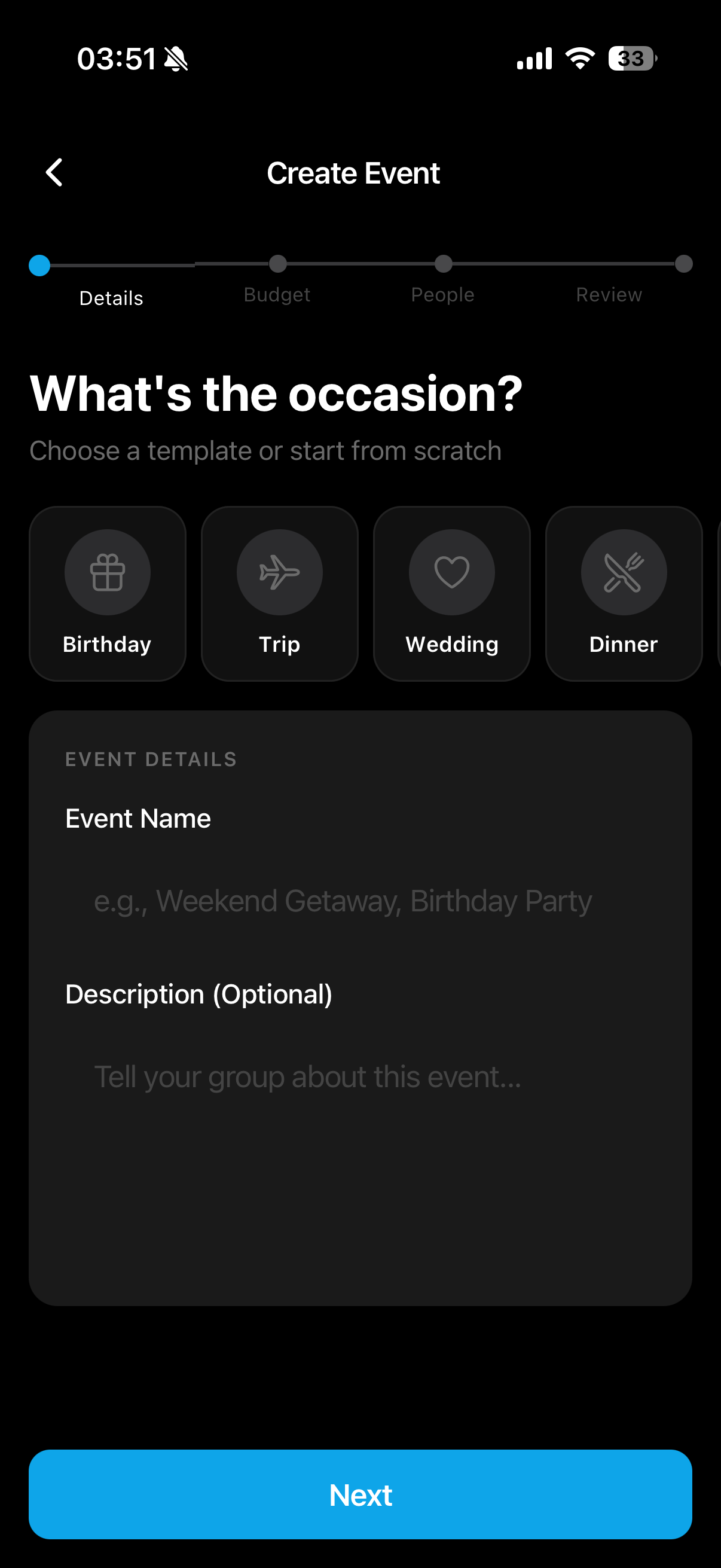
Create Your Event
Choose from templates or start custom. Set your budget, invite friends, and configure contribution types, either equal or custom amounts.
Event Templates
Quick start with pre-built templates for common events
Flexible Contributions
Set equal or custom contribution amounts per person
Easy Invites
Invite friends from contacts, email, or share a link
Set Your Budget
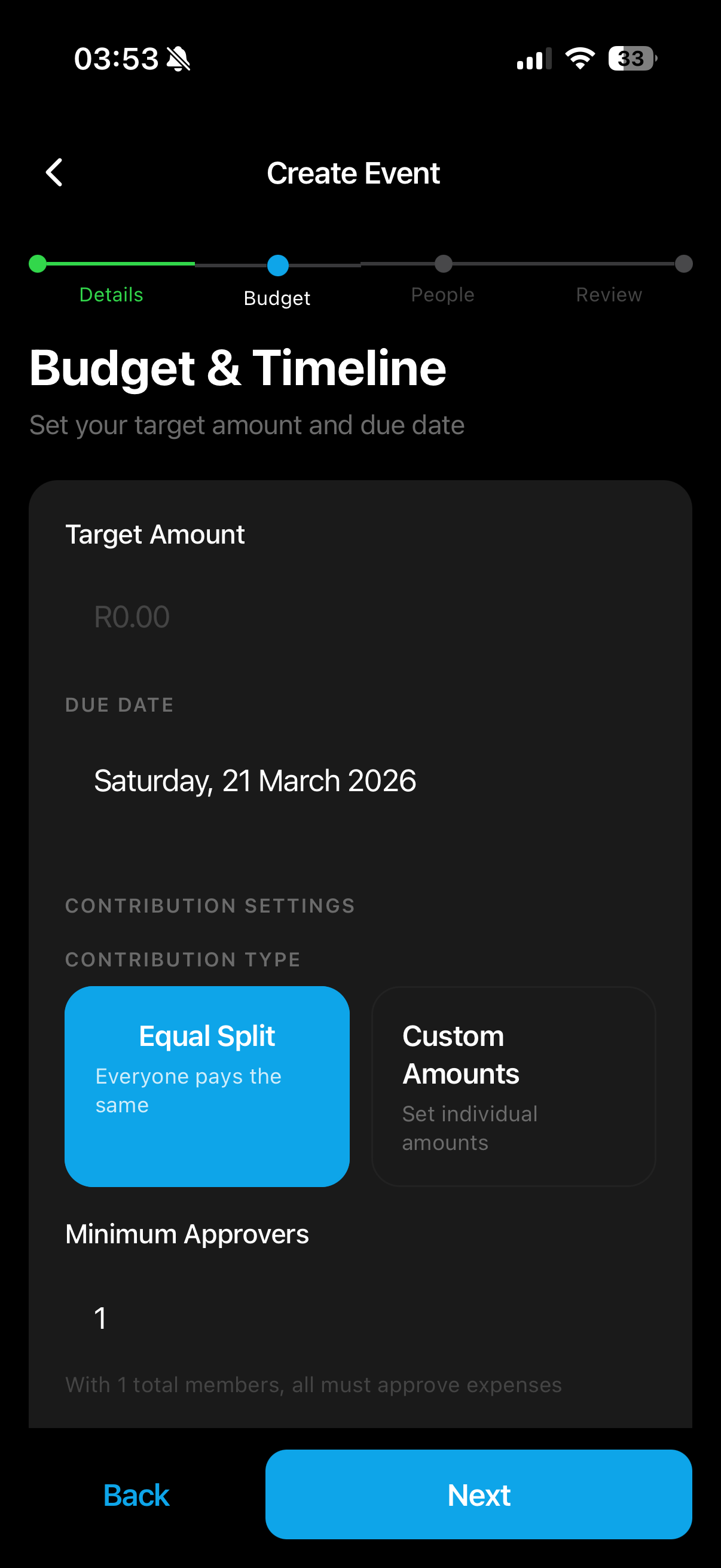
Set your target amount, due date, and choose how contributions are split, either equal or custom amounts per person.
Target Amount
Set exactly how much you need to raise for the event
Flexible Contributions
Choose equal split or custom amounts per person
Due Date
Set a deadline so everyone knows when to contribute by
Invite Your Group
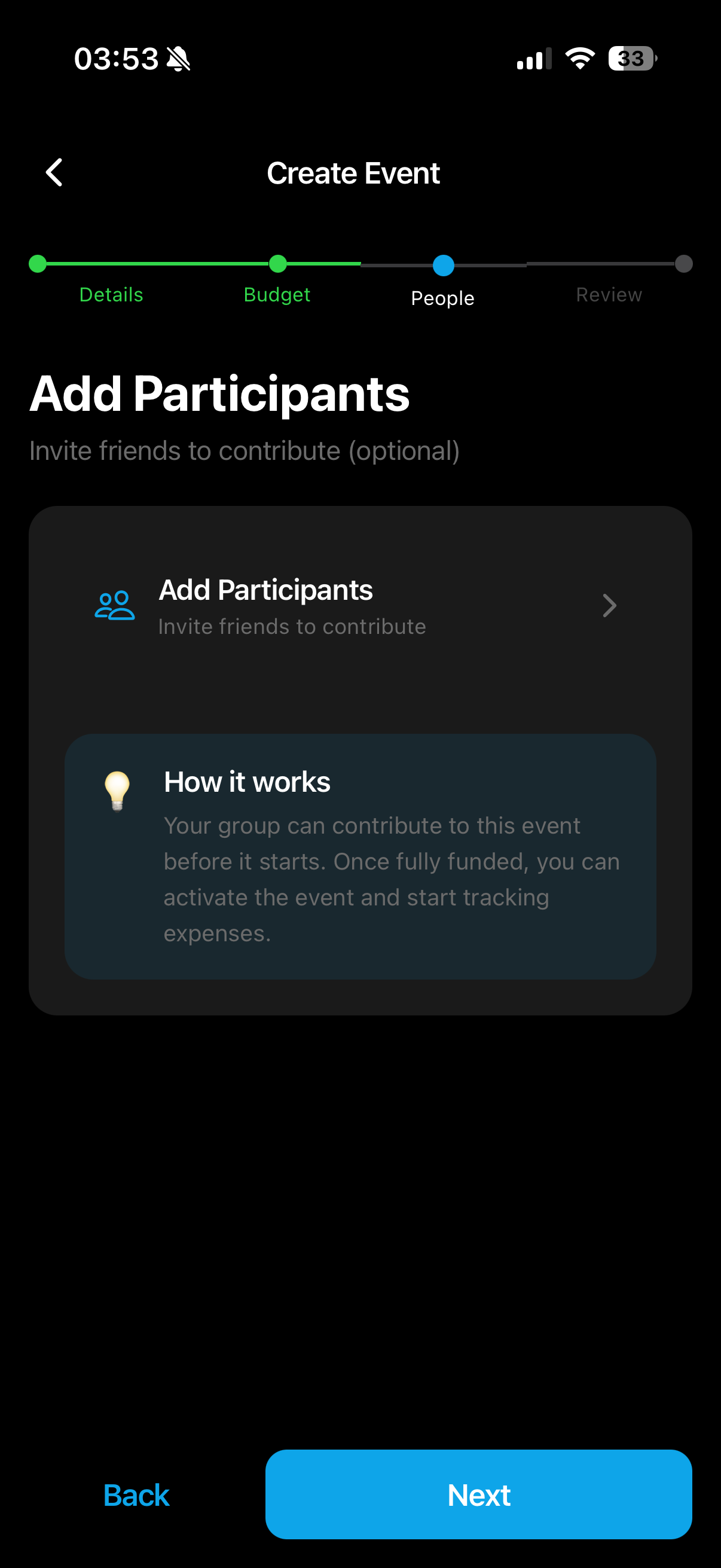
Add participants from your contacts, by email, or share a link. Everyone can contribute before the event starts.
Easy Invites
Add friends from contacts, email, or share a link
Escrow
Funds are held by TradeSafe, never by Shariz, until the group approves an expense
Automatic Reminders
Smart notifications sent to participants who haven’t paid
Review & Launch
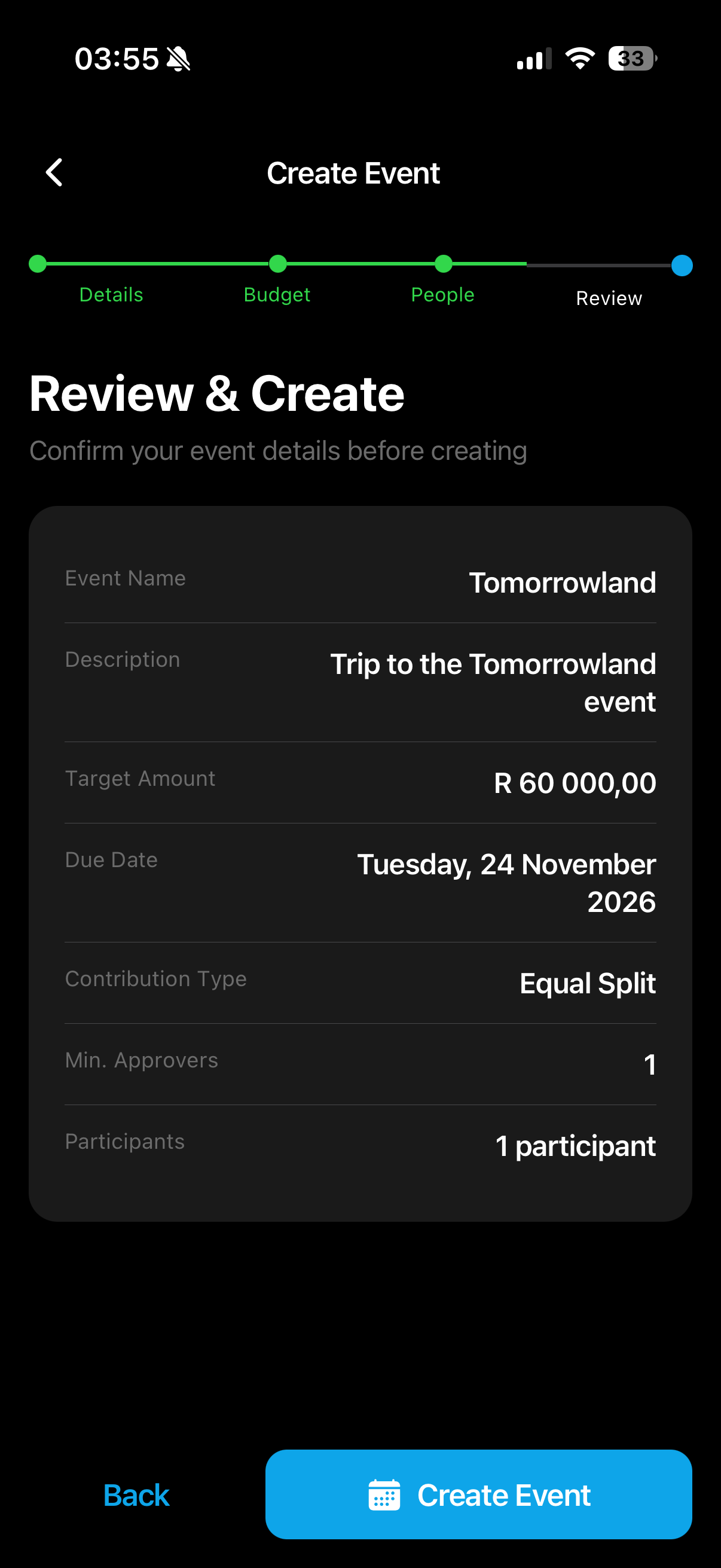
Confirm your event details, check the summary, and launch. Track contributions and manage expenses in real-time.
Complete Summary
Review all event details before creating
Real-Time Tracking
Monitor contributions with visual progress bars
Expense Analytics
Visual breakdowns by category to keep your event on budget
Ready to Plan Your First Event?
Download Shariz and start planning events with friends, no matter where they are.